

Canva features
Canva Features, Tools, Products & Pricing in India
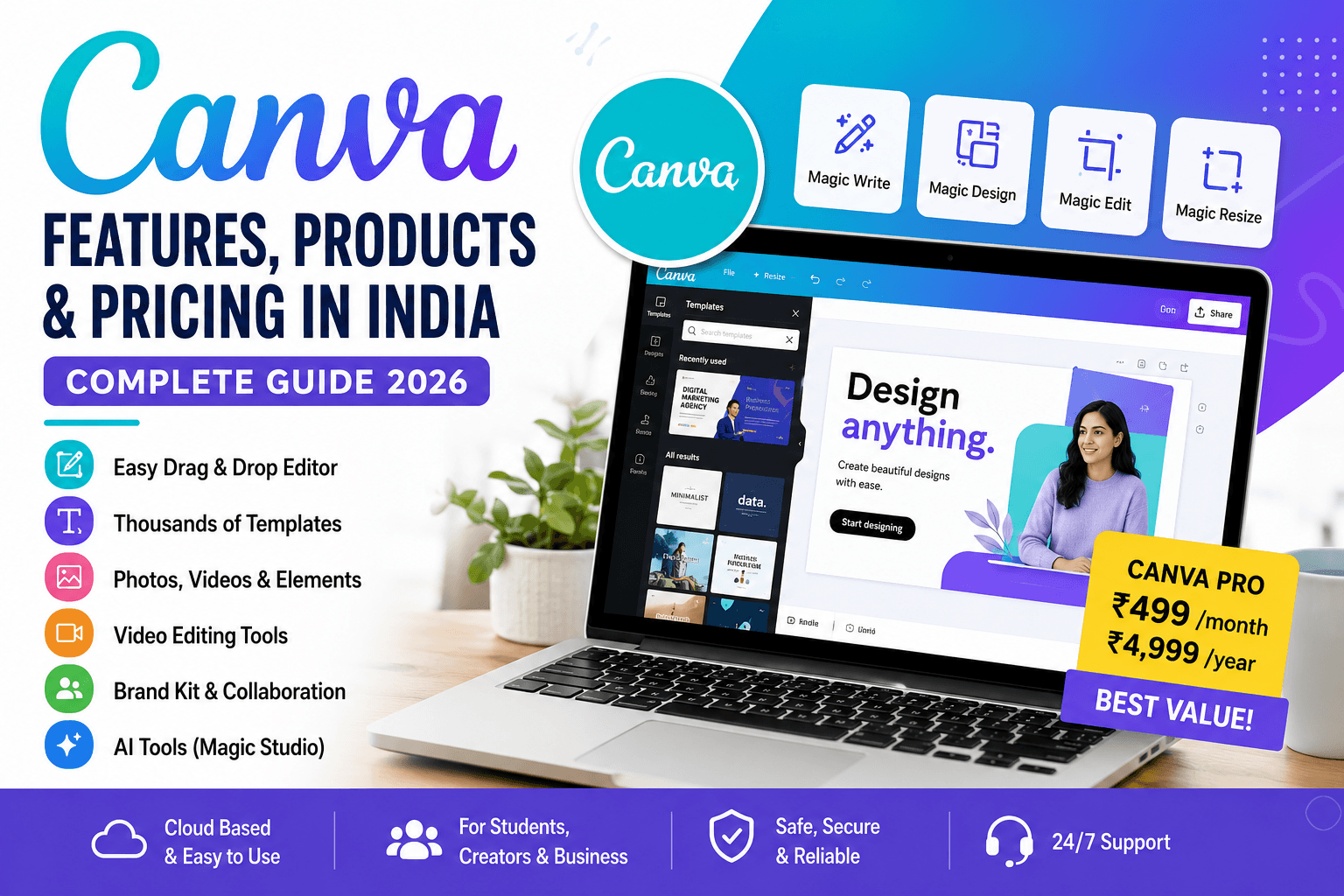
Canva is one of the world’s most popular online design platforms, widely used by students, professionals, businesses, content creators, and marketers. It allows users to create graphics, presentations, videos, documents, social media posts, websites, and much more without needing advanced design skills.
In India, Canva has become extremely popular because it is affordable, mobile-friendly, and supports multiple Indian languages and design styles. Whether you are making Instagram reels thumbnails, business presentations, or YouTube banners, Canva offers an all-in-one solution.
This article explains Canva in detail—its features, tools, products, pricing in India, and how it is used in real life.
What is Canva?
Canva is a cloud-based graphic design platform launched to simplify design for everyone. Instead of using complex software like Photoshop or Illustrator, Canva offers drag-and-drop tools that anyone can use.
You can access Canva through:
- Web browser (desktop/laptop)
- Mobile app (Android & iOS)
- Tablet apps
Its biggest advantage is simplicity. You don’t need professional design training. Everything is template-based and customizable.
Why Canva is so popular in India
Canva has grown rapidly in India for several reasons:
- Easy to use – No technical skills required
- Free plan available – Good features without payment
- Mobile-friendly – Works well on smartphones
- Indian content templates – Festival posts, weddings, business flyers
- Supports local languages – Hindi and other regional fonts
- Affordable Pro pricing compared to Adobe tools
From small shop owners to YouTubers, Canva is widely used across India for digital content creation.
Key Features of Canva
Canva offers a large set of features that go beyond basic graphic design.
1. Drag-and-Drop Editor
The main feature of Canva is its simple editor. You can:
- Add images
- Move elements
- Resize objects
- Change fonts and colors
Everything is visual and interactive.
2. Templates Library
Canva provides thousands of ready-made templates such as:
- Instagram posts and reels thumbnails
- YouTube banners
- Business cards
- Posters and flyers
- Resumes
- Presentations
Users can simply choose a template and edit it according to their needs.
3. Canva Magic Studio (AI Tools)
One of the newest features is Canva’s AI suite called Magic Studio. It includes:
- Magic Write – AI writing assistant for captions and content
- Magic Design – Automatically creates designs from text prompts
- Magic Edit – Edit images using text instructions
- Background Remover – Remove image backgrounds instantly
- Magic Resize – Convert one design into multiple formats
These tools make Canva powerful even for non-designers.
4. Photo Editing Tools
Canva also works like a basic photo editor:
- Filters and effects
- Brightness and contrast control
- Crop and rotate tools
- Blur background
- Retouching options
It is not as advanced as Photoshop but enough for social media and marketing work.
5. Video Editing Features
Canva is not just for images—it also supports video creation.
You can:
- Trim and cut videos
- Add music and sound effects
- Insert text animations
- Use transitions
- Create reels, ads, and presentations
This makes it useful for YouTubers and Instagram creators.
6. Presentations and Documents
Canva can replace PowerPoint in many cases.
Features include:
- Slide templates
- Animated presentations
- Team collaboration
- Export to PDF or PPT
Many students and professionals in India now prefer Canva over traditional tools.
7. Brand Kit (For Businesses)
Canva Pro users can create a Brand Kit:
- Upload company logos
- Set brand colors
- Store fonts
- Maintain design consistency
This is very useful for startups and small businesses.
8. Collaboration Tools
Teams can work together in real time:
- Share designs
- Edit together
- Comment on designs
- Assign tasks
This is helpful for marketing teams and agencies.
9. Stock Library (Images, Videos, Audio)
Canva provides access to millions of:
- Stock photos
- Videos
- Music tracks
- Icons and illustrations
This removes the need to buy external stock content.
10. Canva Print (in selected regions)
Users can design and order printed products like:
- Business cards
- Posters
- Flyers
- Invitations
While not fully expanded in all parts of India, it is available in many regions.
Canva Products Overview
Canva is not just a single tool—it offers multiple design categories:
1. Social Media Designs
- Instagram posts & reels
- Facebook ads
- WhatsApp status graphics
- LinkedIn banners
2. Business Designs
- Logos
- Flyers
- Brochures
- Visiting cards
3. Education Tools
- Presentations
- Notes
- Certificates
- Worksheets
4. Marketing Content
- Email banners
- Ad creatives
- Product catalogs
5. Personal Use
- Invitations
- Wedding cards
- Greeting cards
- Photo collages
Canva Pricing in India (2026)
Canva offers three main pricing tiers:
1. Canva Free Plan
Price: ₹0
Includes:
- Thousands of free templates
- Basic photo editing tools
- Limited stock photos
- 5GB cloud storage
- Basic AI features (limited access)
Best for beginners, students, and casual users.
2. Canva Pro Plan
Approx Price: ₹499/month or ₹4,999/year (varies with offers)
Includes:
- Everything in Free plan
- 100+ million premium stock assets
- Background remover
- Magic Resize tool
- Brand Kit
- Advanced AI tools (Magic Studio full access)
- 1TB storage
- Content planner for social media
Best for content creators, freelancers, and small businesses.
3. Canva Teams / Enterprise
Price: Custom pricing
Includes:
- Multi-user collaboration
- Admin controls
- Brand management tools
- Team workflows
- Advanced security features
Best for companies and agencies.
Canva vs Traditional Design Software
Many users compare Canva with tools like Photoshop or Illustrator.
Advantages of Canva:
- Easy to learn
- Fast design process
- No installation required
- Affordable pricing
- Huge template library
Limitations:
- Less control over advanced editing
- Requires internet connection
- Not suitable for high-end professional design work
Still, for 90% of everyday users, Canva is more than enough.
How Canva is Used in India
In India, Canva is used across multiple industries:
1. YouTubers and Content Creators
- Thumbnails
- Channel banners
- Shorts/Reels graphics
2. Small Businesses
- Product posters
- Social media ads
- WhatsApp marketing posts
3. Students
- College presentations
- Project reports
- Resume building
4. Freelancers
- Client designs
- Social media management
- Branding work
5. Marketing Agencies
- Campaign creatives
- Ad banners
- Brand kits
Advantages of Canva
- Beginner-friendly interface
- Large template collection
- AI-powered tools
- Cloud storage and accessibility
- Affordable pricing in India
- Regular feature updates
Disadvantages of Canva
- Requires internet connection
- Some premium assets are locked
- Limited advanced editing compared to Photoshop
- Designs can feel “template-based” if not customized
Future of Canva in India
Canva is growing rapidly in India due to:
- Rise of digital marketing
- Growth of Instagram and YouTube creators
- Small business online expansion
- AI integration in design tools
With features like Magic Studio and AI automation, Canva is expected to become even more powerful and widely used.
Official Website
You can access Canva here:
Canva Official Website
Conclusion
Canva has completely changed the way people design graphics in India and worldwide. What used to require expensive software and professional skills can now be done in minutes using simple drag-and-drop tools.
From social media posts to business branding, presentations, and videos, Canva provides everything in one platform. Its AI tools like Magic Write and Magic Design make it even more powerful for the future of content creation.
Whether you are a student, entrepreneur, or creator, Canva is one of the most useful tools available today for digital design in India.
FAQs
1. What is Canva?
Canva is an online graphic design tool that lets users create posters, social media posts, videos, presentations, and more using simple drag-and-drop features.
2. Is Canva free to use?
Yes, Canva has a free plan with thousands of templates and basic design tools.
3. What is Canva Pro?
Canva Pro is the paid version that unlocks premium templates, AI tools, background remover, and advanced branding features.
4. How much does Canva Pro cost in India?
It usually costs around ₹499 per month or ₹4,999 per year (pricing may vary with offers).
5. Can beginners use Canva easily?
Yes, Canva is designed for beginners with no prior design experience.
6. Does Canva work on mobile?
Yes, Canva has Android and iOS apps with almost all desktop features.
7. Can I make YouTube thumbnails in Canva?
Yes, Canva provides ready-made YouTube thumbnail templates.
8. Can I edit videos in Canva?
Yes, Canva includes basic video editing tools like trimming, text, music, and transitions.
9. Does Canva have AI tools?
Yes, Canva includes AI features like Magic Write, Magic Design, and Magic Edit.
10. Can I remove image backgrounds in Canva?
Yes, background removal is available in Canva Pro.
11. Is Canva good for business use?
Yes, small businesses use Canva for branding, ads, social media posts, and marketing.
12. Can students use Canva for free?
Yes, students can use the free version for presentations, projects, and resumes.
13. Can I create logos in Canva?
Yes, Canva offers logo templates that can be customized easily.
14. Does Canva work offline?
No, Canva requires an internet connection to function.
15. Can Canva replace Photoshop?
For basic to medium design work, yes. But Photoshop is better for advanced professional editing.
16. What is Canva used for in India?
It is widely used for social media content, business marketing, education projects, and freelancing.
17. Can I create Instagram posts in Canva?
Yes, Canva has pre-sized Instagram post and reel templates.
18. Does Canva support Indian languages?
Yes, Canva supports multiple fonts and languages including Hindi and regional languages.
19. Can I collaborate with others on Canva?
Yes, teams can edit and comment on designs in real time.
20. What is Canva Brand Kit?
It is a Pro feature that stores logos, fonts, and brand colors for consistent design.
21. Can I download designs from Canva?
Yes, you can download in formats like PNG, JPG, PDF, and MP4.
22. Is Canva safe to use?
Yes, Canva is a secure and widely trusted platform.
23. Can I print designs from Canva?
Yes, Canva offers printing services in selected regions.
24. Who uses Canva the most?
Students, content creators, marketers, freelancers, and small business owners.
25. What are alternatives to Canva?
Popular alternatives include Adobe Express, VistaCreate, and Figma (for advanced users).
Canva features
Canva features
Canva features
Canva features
Canva features
Canva features
Canva features
Canva features
Canva features
Canva features
Canva features
Canva features
Canva features
Canva features
Canva features
Canva features
Canva features
keywords
- Canva India pricing
- Canva features
- Canva Pro price in India
- Canva tools and features
- Canva AI tools
- online graphic design tool Canva
- Canva free vs Pro
- Canva templates India
- Canva for students
- Canva for business
- Canva video editing tools
- Canva logo maker
- Canva Magic Studio
- Canva alternatives
- best design tool for beginners


