

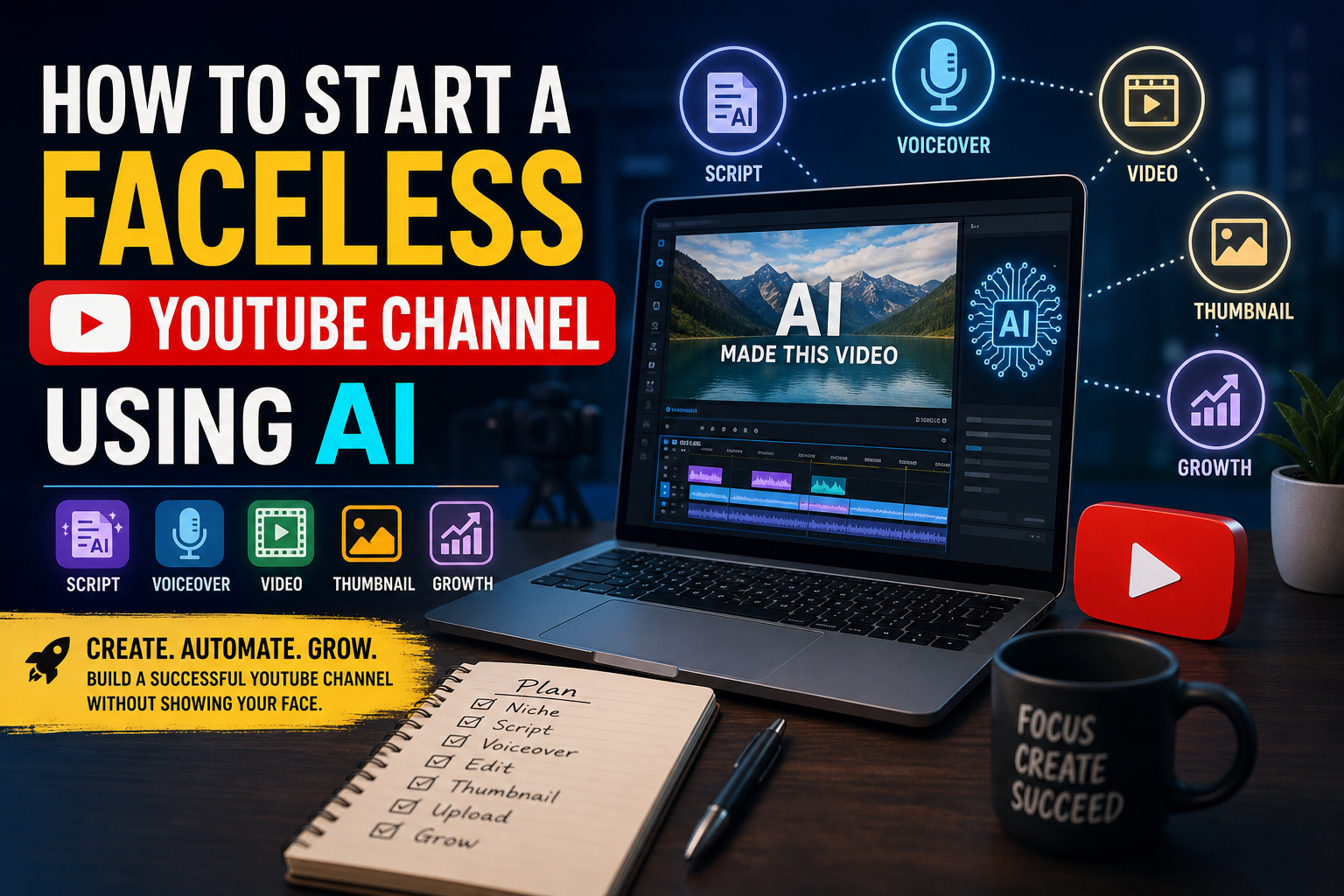
faceless YouTube channel
Faceless YouTube channel – How to Start one Using AI
YouTube has become one of the biggest platforms for earning money online, building a personal brand, and reaching millions of viewers worldwide. But many people avoid starting a YouTube channel because they do not want to show their face on camera. The good news is that you no longer need expensive cameras, editing skills, or even on-screen appearances to succeed.
With the rise of artificial intelligence tools, creating a faceless YouTube channel has become easier than ever. AI can help you generate video ideas, write scripts, create voiceovers, edit videos, design thumbnails, and even automate uploads. Many successful creators now run entire channels using AI-powered workflows while remaining anonymous.
In this article, you will learn step-by-step how to start a faceless YouTube channel using AI, what tools to use, the best niches, monetization methods, and practical tips for growing your audience in 2026.
What Is a Faceless YouTube Channel?
A faceless YouTube channel is a channel where the creator does not appear on camera. Instead of showing your face, you use:
- Stock videos
- AI-generated visuals
- Animations
- Screen recordings
- Slideshows
- Gameplay footage
- Text-based videos
- AI voiceovers
These channels focus more on content quality and information rather than personality-based branding.
Examples of popular faceless channel types include:
- Tech tutorials
- Finance videos
- Motivation channels
- News summaries
- History videos
- AI tool reviews
- Meditation music
- Facts and educational content
- Gaming channels
- Storytelling videos
Many faceless channels earn thousands of dollars every month through ads, sponsorships, affiliate marketing, and digital products.
Why AI Is Perfect for Faceless YouTube Channels
Before AI tools became popular, making videos required a lot of manual work. Today, AI can automate most of the process.
Benefits of using AI include:
1. Saves Time
AI tools can generate scripts, edit videos, create subtitles, and produce voiceovers within minutes.
2. Reduces Costs
You do not need expensive cameras, microphones, actors, or editors.
3. Beginner Friendly
Even people with zero editing experience can create professional-looking videos.
4. Scalable
You can produce multiple videos every week using automation tools.
5. Privacy
You can remain anonymous while still building a successful online business.
Step 1: Choose a Profitable Niche
The first and most important step is selecting the right niche. Your niche determines your audience, earning potential, and growth speed.
Here are some profitable faceless YouTube niches in 2026:
AI and Technology
Videos about AI tools, apps, gadgets, and future technology are extremely popular.
Example topics:
- Best AI tools for students
- AI vs human jobs
- Future technology predictions
- Smartphone comparisons
Finance and Investing
Finance channels often get high CPM rates, meaning higher ad revenue.
Example topics:
- Personal finance tips
- Stock market basics
- Credit card guides
- Saving money hacks
Motivation and Self-Improvement
These channels use quotes, cinematic footage, and voiceovers.
Example topics:
- Success habits
- Morning routines
- Discipline tips
- Motivational speeches
Health and Fitness
Educational health content performs well if researched properly.
Example topics:
- Weight loss tips
- Healthy eating
- Home workouts
- Vitamin guides
Facts and Educational Videos
People love short informative content.
Example topics:
- Amazing facts
- Space mysteries
- History documentaries
- Science explanations
Gaming
You can use gameplay footage, AI commentary, or tutorials.
Step 2: Research Video Ideas Using AI
A successful YouTube channel depends on choosing topics people are searching for.
AI tools can help you discover trending topics quickly.
Popular AI research tools include:
- ChatGPT
- Google Trends
- TubeBuddy
- VidIQ
- AnswerThePublic
You can ask AI questions like:
- “Suggest 50 viral YouTube video ideas about AI tools.”
- “Give me trending finance topics for beginners.”
- “What are high-CPM YouTube niches?”
Look for:
- High search demand
- Low competition
- Evergreen topics
- Trending subjects
Step 3: Write Scripts with AI
Writing scripts manually takes time. AI can generate full video scripts in minutes.
Tools for scriptwriting:
- ChatGPT
- Jasper AI
- Copy.ai
- Gemini
- Claude
A good YouTube script should include:
Hook
The first 10 seconds are critical.
Example:
“Most people think you need expensive equipment to start YouTube, but AI has completely changed the game.”
Main Content
Deliver useful information clearly and quickly.
Call to Action
Encourage viewers to:
- Subscribe
- Like the video
- Comment
- Watch another video
Tips for Better AI Scripts
- Edit AI-generated content manually
- Add personality
- Use short paragraphs
- Keep language simple
- Avoid robotic tone
Step 4: Create AI Voiceovers
If you do not want to use your own voice, AI voice generators are an excellent option.
Popular AI voice tools:
- ElevenLabs
- Murf AI
- PlayHT
- Speechify
- LOVO AI
Modern AI voices sound highly realistic and natural.
Tips for Better Voiceovers
- Choose natural-sounding voices
- Avoid overly robotic voices
- Match voice tone to niche
- Use pauses for realism
For example:
- Motivational videos need emotional voices
- Tech videos need clear professional narration
- Kids content needs energetic voices
Step 5: Create Videos Using AI
Now it is time to combine visuals, voiceovers, and music into a complete video.
Types of Visuals You Can Use
Stock Footage
Sites:
- Pexels
- Pixabay
- Storyblocks
- Envato Elements
AI Video Generators
AI video tools can create scenes automatically from text.
Popular tools:
- Pictory
- InVideo AI
- Synthesia
- Runway ML
- Veed.io
Screen Recordings
Perfect for tutorials and software reviews.
Slideshows and Animations
Useful for educational content.
Step 6: Edit Videos Professionally
Good editing increases watch time and audience retention.
Popular editing tools:
- CapCut
- Adobe Premiere Pro
- DaVinci Resolve
- Canva Video Editor
- Filmora
Important Editing Tips
Add Captions
Captions improve engagement because many viewers watch without sound.
Use Fast Cuts
Remove boring pauses.
Add Background Music
Music keeps viewers interested.
Include Zoom Effects and Animations
These make videos more dynamic.
Keep Videos Engaging
Avoid static images for long periods.
Step 7: Design Eye-Catching Thumbnails
Your thumbnail is one of the most important factors for getting clicks.
AI thumbnail tools:
- Canva
- Adobe Express
- Midjourney
- Leonardo AI
Thumbnail Tips
- Use large text
- Add contrast
- Use emotional visuals
- Keep design clean
- Focus on curiosity
Examples:
- “Top 10 AI Tools That Feel Illegal”
- “I Started YouTube With Zero Experience”
- “AI Is Replacing These Jobs”
Step 8: Optimize Videos for SEO
YouTube is also a search engine. SEO helps your videos rank higher.
Use Keywords in:
- Title
- Description
- Tags
- Captions
Example keyword:
“Faceless YouTube channel using AI”
Good SEO Title Example
“How to Start a Faceless YouTube Channel Using AI in 2026”
SEO Description Example
“Learn how to create a successful faceless YouTube channel using AI tools for scripting, editing, voiceovers, thumbnails, and automation.”
Step 9: Upload Consistently
Consistency is extremely important on YouTube.
Recommended upload schedule:
- 2–3 videos per week for beginners
- Daily Shorts for faster growth
AI tools make consistency easier because they automate much of the workflow.
Step 10: Monetize Your Channel
There are many ways to earn money from faceless YouTube channels.
1. YouTube Ad Revenue
Once eligible for the YouTube Partner Program, you can earn from ads.
Basic requirements:
- 1,000 subscribers
- 4,000 watch hours OR Shorts requirements
2. Affiliate Marketing
Promote products and earn commissions.
Example:
- AI software tools
- Amazon products
- Online courses
3. Sponsorships
Brands pay creators to promote products.
4. Sell Digital Products
Examples:
- E-books
- Templates
- Courses
- Presets
5. Memberships
Offer exclusive content to subscribers.
Best AI Tools for Faceless YouTube Channels
Here are some powerful AI tools creators use in 2026:
| Purpose | AI Tools |
|---|---|
| Script Writing | ChatGPT, Jasper |
| Voiceovers | ElevenLabs, Murf |
| Video Creation | Pictory, InVideo |
| Editing | CapCut, Premiere Pro |
| Thumbnails | Canva, Midjourney |
| SEO | VidIQ, TubeBuddy |
| AI Avatars | Synthesia |
| Music | Epidemic Sound, Soundraw |
Common Mistakes Beginners Make
1. Copying Other Channels
Always create original content.
2. Using Robotic AI Voices
Bad narration reduces watch time.
3. Ignoring Thumbnails
Even great videos fail without good thumbnails.
4. Uploading Random Topics
Stick to one niche initially.
5. Quitting Too Early
Most channels grow slowly at first.
Tips for Faster YouTube Growth
Focus on Watch Time
Keep viewers watching longer.
Study Competitors
Learn from successful channels in your niche.
Use YouTube Shorts
Short-form content can bring fast exposure.
Improve One Thing Every Video
Better thumbnails, better hooks, better editing.
Analyze Analytics
Track:
- Click-through rate
- Audience retention
- Watch time
- Traffic sources
Can You Really Make Money With AI Faceless Channels?
Yes, many creators already do.
Some channels earn:
- A few hundred dollars monthly
- Full-time income
- Six-figure businesses
However, success depends on:
- Content quality
- Consistency
- Topic selection
- Audience engagement
AI is a tool, not magic. You still need creativity and strategy.
Is Faceless YouTube Saturated?
Many people worry that YouTube is too competitive. While competition exists, new channels still grow every day.
The key is:
- Better storytelling
- Better editing
- Better thumbnails
- Unique angles
- Consistent uploads
AI lowers the entry barrier, but quality creators still stand out.
Future of AI YouTube Channels
AI-generated content will continue growing rapidly in the coming years.
Future trends may include:
- Fully AI-generated animations
- Realistic AI avatars
- Automated editing workflows
- Personalized AI video recommendations
- AI-powered multilingual dubbing
Creators who learn AI tools early may gain a major advantage.
Final Thoughts
Starting a faceless YouTube channel using AI is one of the most accessible online business opportunities in 2026. You no longer need expensive equipment, professional editing skills, or on-camera confidence to succeed.
With AI tools, you can:
- Research topics faster
- Write scripts automatically
- Generate realistic voiceovers
- Edit videos efficiently
- Design thumbnails easily
The most important thing is to start. Your first few videos may not be perfect, but every upload improves your skills and increases your chances of success.
Choose a profitable niche, focus on valuable content, upload consistently, and use AI as a powerful assistant rather than a shortcut. Over time, your faceless YouTube channel can grow into a real source of income and long-term digital asset.
FAQs
1. What is a faceless YouTube channel?
A faceless YouTube channel is a channel where the creator does not appear on camera. Videos are made using voiceovers, stock footage, animations, AI visuals, or screen recordings.
2. Can I start a YouTube channel without showing my face?
Yes, millions of creators run successful faceless channels without ever appearing on camera.
3. Is AI allowed for YouTube videos?
Yes, YouTube allows AI-assisted content as long as it follows community guidelines and is original.
4. Which AI tools are best for YouTube automation?
Popular tools include ChatGPT, ElevenLabs, Pictory, InVideo AI, Canva, CapCut, and VidIQ.
5. Can AI write YouTube scripts?
Yes, AI tools can generate complete video scripts, outlines, titles, and descriptions.
6. Are AI voiceovers good for YouTube videos?
Modern AI voiceovers sound very natural and are widely used by faceless YouTube creators.
7. Do faceless YouTube channels make money?
Yes, successful channels earn through ads, affiliate marketing, sponsorships, and digital products.
8. What are the best niches for faceless YouTube channels?
Popular niches include AI tools, finance, motivation, health, gaming, education, technology, and facts videos.
9. How much money can a faceless YouTube channel make?
Earnings vary from a few dollars to thousands per month depending on views, niche, and monetization methods.
10. Is YouTube automation legal?
Yes, YouTube automation is legal if the content is original and follows copyright rules.
11. Do I need editing skills to start?
No, beginner-friendly AI tools can automate much of the editing process.
12. Which AI tool is best for voiceovers?
Many creators prefer ElevenLabs because of its realistic AI voices.
13. Can I use free AI tools for YouTube?
Yes, many AI tools offer free plans or trial versions for beginners.
14. How often should I upload videos?
Uploading 2–3 videos weekly consistently is a good starting point.
15. What type of videos work best for faceless channels?
Educational, motivational, tutorial, review, and storytelling videos perform very well.
16. Can I monetize AI-generated videos?
Yes, monetization is possible if your content adds value and meets YouTube Partner Program policies.
17. How do I get copyright-free footage?
You can use websites like Pexels, Pixabay, and Storyblocks for royalty-free visuals.
18. What is the best video length for YouTube?
Long-form videos between 8–15 minutes often perform well for monetization and watch time.
19. Can I create YouTube Shorts using AI?
Yes, AI tools can quickly generate YouTube Shorts with captions, voiceovers, and visuals.
20. How important are thumbnails for YouTube success?
Thumbnails are extremely important because they affect click-through rates and video views.
21. Is YouTube SEO necessary for growth?
Yes, SEO helps videos rank higher in YouTube search and recommended sections.
22. Can one person manage multiple faceless channels?
Yes, many creators run multiple channels using AI automation tools.
23. How long does it take to grow a faceless channel?
Growth depends on consistency, content quality, and niche competition. Some channels grow within months.
24. Do I need expensive equipment to start?
No, a basic computer or smartphone with AI tools is enough for beginners.
25. What is the biggest mistake new faceless YouTubers make?
The biggest mistake is uploading low-quality or copied content without consistency or proper strategy.
faceless YouTube channel
faceless YouTube channel
faceless YouTube channel
faceless YouTube channel
faceless YouTube channel
faceless YouTube channel
faceless YouTube channel
faceless YouTube channel
faceless YouTube channel
faceless YouTube channel
faceless YouTube channel
faceless YouTube channel
faceless YouTube channel
faceless YouTube channel
faceless YouTube channel
Keywords
- faceless YouTube channel
- AI YouTube channel
- how to start a faceless YouTube channel
- YouTube automation
- AI video creation
- AI voice generator for YouTube
- YouTube automation tools
- faceless content creation
- AI tools for YouTube
- earn money from YouTube
- YouTube channel ideas
- YouTube SEO tips
- AI video editor
- YouTube automation business
- best AI tools for creators


