
 author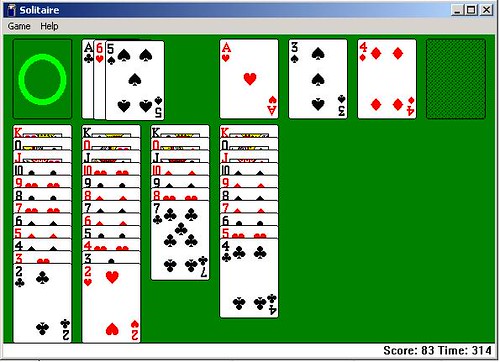
Windows 11 Games
🎮 Windows 11 Inbuilt Games: Complete Guide to Free Games on Your PC
Windows has been a dominant operating system for decades, not just because of its productivity tools and interface, but also thanks to its support for casual and inbuilt gaming. With the launch of Windows 11, Microsoft has taken things up a notch — combining elegant design, enhanced performance, and seamless Xbox integration to offer a rich gaming experience, even for free, inbuilt games.
Whether you’re looking to relax during a work break, test your logic with puzzles, or revisit nostalgic classics, Windows 11 comes equipped with a variety of inbuilt and accessible games. Some are pre-installed, while others are available directly from the Microsoft Store at no extra cost.
This article is your ultimate guide to inbuilt games on Windows 11 — covering the types of games, how to access them, what’s new from Windows 10, and why casual gaming is still relevant in 2025.
📜 Table of Contents
- Introduction to Gaming on Windows 11
- List of Inbuilt & Native Games
- Enhanced Integration with Xbox
- Classic Games Reimagined
- New Game Apps on Microsoft Store
- Offline vs Online Gameplay
- Accessibility for All Ages
- Benefits of Casual Gaming
- Best Inbuilt Games for Indian Users
- Final Verdict & Tips
🎮 1. Introduction to Gaming on Windows 11
Windows 11 is more gamer-friendly than any previous Windows version. Its integration with DirectStorage, Auto HDR, Xbox Game Bar, and Xbox Cloud Gaming allows even entry-level users to enjoy both high-end and lightweight games.
Microsoft has also redesigned the Microsoft Store, making it easier to find and install free inbuilt games like Solitaire, Minesweeper, Mahjong, and Word games, among others.
While Windows 11 doesn’t come packed with a “Games” folder like in Windows XP or Vista, it offers a modern approach with better visuals, frequent updates, and social features.
🕹️ 2. List of Inbuilt & Native Games in Windows 11
Here’s a look at the main inbuilt games and game-related utilities in Windows 11:
🃏 Microsoft Solitaire Collection
One of the most loved casual games of all time — Solitaire is now a collection of five card games:
- Klondike (Classic Solitaire)
- Spider
- FreeCell
- Pyramid
- TriPeaks
Features:
- Daily Challenges
- Leaderboards
- Events
- Custom themes
- Xbox integration
You can access it via Start Menu or download it from the Microsoft Store if not already available.
💣 Microsoft Minesweeper
An improved version of the classic logic puzzle game. In Windows 11, Minesweeper includes:
- Adventure Mode
- Classic Difficulty Levels
- Daily Challenges
- Custom Themes
Perfect for improving logical thinking and time management.
🀄 Microsoft Mahjong
This tile-matching game is both relaxing and strategic. Windows 11’s version includes:
- Dozens of tile layouts
- Daily challenges
- Multiple difficulty settings
- Elegant themes and music
Ideal for a calm gaming session after work or school.
🔤 Microsoft Ultimate Word Games
Includes three brain-training games in one app:
- Wordament – Real-time word search
- Word Twister – Unscramble puzzles
- Crosswords – American-style puzzles
Word Games are great for vocabulary building and suitable for students and professionals alike.
🧩 Microsoft Jigsaw
Offers hundreds of high-quality puzzle images across various categories like nature, landmarks, animals, etc.
Features:
- Classic and Custom Puzzles
- Daily Challenges
- Xbox Cloud Sync
🎮 3. Enhanced Integration with Xbox in Windows 11
Windows 11 includes deep Xbox ecosystem integration, giving users access to:
- Xbox Game Bar (overlay for screenshots, chats, performance metrics)
- Xbox App (for cloud gaming, Game Pass, and free-to-play titles)
- Cloud Save Sync
- Game Streaming with Xbox Game Pass Ultimate
You can access some cloud games directly without downloading anything. Though technically not “inbuilt,” this seamless connection opens the door to dozens of free-to-play Xbox titles like:
- Forza Street
- Asphalt 9: Legends
- Halo Infinite (Free Multiplayer)
- Roblox
- Fortnite
🧱 4. Classic Games Reimagined in Windows 11
Microsoft didn’t forget the nostalgia. Games like:
- 3D Pinball Space Cadet
- Chess Titans
- Purble Place
…aren’t officially available in Windows 11, but they can be reinstalled from online repositories or third-party sources. However, Microsoft has modernized many classics through their new apps (like Solitaire Collection or Minesweeper Adventure Mode).
These modern versions have:
- Touchscreen compatibility
- Keyboard and mouse support
- HD visuals
- Sound improvements
🛒 5. New Game Apps from Microsoft Store (Free & Inbuilt Feel)
Windows 11’s revamped Microsoft Store includes a wide variety of free games that feel like they’re inbuilt due to ease of access and integration:
Top Picks:
- Sudoku by Microsoft
- Chess Online
- Simple Mahjong
- Bubble Shooter
- 2048 Puzzle Game
- Microsoft Bingo (region-locked but often available)
All these games are lightweight, under 300MB, and ideal for casual fun.
🌐 6. Offline vs Online Gameplay
✅ Offline Games:
- Solitaire (except daily challenges)
- Minesweeper (classic mode)
- Mahjong (free play)
- Jigsaw (downloaded puzzles)
🌐 Online Required:
- Xbox Game Pass titles
- Cloud saves and achievements
- Events and multiplayer features
So, users in low-connectivity areas (like remote regions in India) can still enjoy most inbuilt games without needing fast internet.
👨👩👧👦 7. Accessibility for All Ages
Microsoft’s inbuilt games are designed with accessibility in mind. Features include:
- Adjustable font sizes
- Colorblind modes
- Keyboard navigation
- Touchscreen support
👶 Age Recommendations:
- Kids (6–12): Jigsaw, Sudoku, Bubble Shooter
- Teens (13–18): Wordament, Crosswords, Minesweeper
- Adults: Solitaire Collection, Mahjong, FreeCell
- Seniors: TriPeaks, Spider Solitaire, Ultimate Word Games
✅ 8. Benefits of Casual Gaming
Casual inbuilt games are more than just time-pass. Studies and anecdotal reports suggest they:
- Enhance memory and logic (Minesweeper, Sudoku)
- Reduce stress and anxiety (Mahjong, Solitaire)
- Improve vocabulary and language (Word Games)
- Sharpen strategic thinking (Spider Solitaire, FreeCell)
Plus, they are free and run on even entry-level hardware, making them accessible to all users.
🇮🇳 9. Best Inbuilt Games for Indian Users
India has a vast PC user base — including students, freelancers, professionals, and families. Windows 11 inbuilt games offer a way to relax, learn, and challenge oneself.
Top Picks for Indian Audiences:
| User Type | Best Games |
|---|---|
| School Students | Sudoku, Jigsaw, Wordament |
| College Students | Solitaire, Crosswords, 2048 |
| Office Professionals | Spider Solitaire, Mahjong, TriPeaks |
| Homemakers | Bubble Shooter, Mahjong, Jigsaw |
| Retired Users | FreeCell, Klondike, Minesweeper |
These games also work well in offline mode, which is ideal for users in tier-2 and tier-3 cities with limited connectivity.
🧠 Bonus: Tips to Enhance Your Gaming Experience
- Use Microsoft Account – To track achievements and sync across devices
- Update Regularly – Games are updated with new features and bug fixes
- Explore Daily Challenges – Stay engaged and earn medals
- Customize Themes – Personalize visuals for comfort and enjoyment
- Use Keyboard Shortcuts – Boost your game speed and efficiency
- Try Touchscreen Mode – Many inbuilt games work great with touch input
📝 10. Final Verdict
Windows 11 isn’t just about improved UI and better multitasking — it also offers a fantastic casual gaming experience right out of the box.
The inbuilt and native game apps cover:
- Classic nostalgia (Solitaire, Minesweeper)
- Mind-building games (Sudoku, Crosswords)
- Relaxing visuals (Mahjong, Jigsaw)
- Online fun (Xbox Cloud titles, Wordament)
Whether you’re using a high-end PC or a budget laptop, these games provide free, accessible, and enjoyable experiences for everyone — from students in Delhi to professionals in Bengaluru and families in rural towns.
So next time you’re on Windows 11 and want a mental break, open the Start Menu or Microsoft Store, and rediscover the joy of inbuilt gaming — no extra download or payment required.
FAQs
🎮 GENERAL INFORMATION
1. Does Windows 11 come with inbuilt games?
Yes, Windows 11 offers access to classic and modern games like Solitaire, Minesweeper, Mahjong, and others either preinstalled or available free from the Microsoft Store.
2. Are these games completely free?
Yes, the basic versions are free to play. Some games offer optional premium upgrades or subscriptions for an ad-free experience or extra features.
3. How do I access inbuilt games in Windows 11?
You can open them from the Start Menu or download them via the Microsoft Store by searching their names like “Microsoft Solitaire Collection” or “Mahjong.”
4. What games are included in the Microsoft Solitaire Collection?
It includes five types: Klondike, Spider, FreeCell, Pyramid, and TriPeaks.
5. Is internet required to play Windows 11 inbuilt games?
Some modes require the internet (like daily challenges), but core gameplay for most games like Solitaire or Minesweeper works offline.
🕹️ GAME DETAILS
6. What is Microsoft Minesweeper in Windows 11?
A logic-based puzzle game that includes both classic and new adventure modes, updated visuals, and daily challenges.
7. What is Microsoft Mahjong in Windows 11?
A tile-matching game with relaxing music and visuals, offering multiple tile sets, themes, and daily puzzle challenges.
8. Can I play word games in Windows 11?
Yes, Microsoft Ultimate Word Games includes Wordament, Word Twister, and Crosswords, all available for free from the Microsoft Store.
9. Is Sudoku available in Windows 11?
Yes, Microsoft Sudoku can be downloaded for free and includes classic number puzzles, irregular modes, and daily challenges.
10. What is Microsoft Jigsaw?
It’s a puzzle game with beautiful images and various difficulty levels, including customizable puzzles and daily rewards.
🖥️ SYSTEM & PERFORMANCE
11. Do these games work on low-end laptops or PCs?
Yes. These casual games are designed to be lightweight and run on basic hardware without needing a graphics card.
12. Can I play these games on touchscreen devices?
Yes. Games like Solitaire, Mahjong, and Jigsaw are optimized for touchscreens and support gestures.
13. Are the games updated regularly?
Yes. Microsoft updates these games through the Microsoft Store, often adding new features, challenges, and bug fixes.
14. Do I need to sign in with a Microsoft account to play?
No, you can play offline. But signing in allows syncing progress, saving achievements, and competing on leaderboards.
15. Are ads shown in these games?
Yes, free versions contain ads. You can remove them by purchasing a premium subscription (optional).
📶 CONNECTIVITY & CLOUD
16. Can I save my game progress in the cloud?
Yes, if you’re signed in with your Microsoft account, your progress and achievements sync across devices via Xbox Cloud.
17. Do these games work offline in remote areas of India?
Yes. Games like Solitaire, Minesweeper, and Mahjong offer offline modes suitable for areas with limited internet.
18. Can I install these games without admin rights?
In most cases, no. You need admin access to install apps from the Microsoft Store.
👪 USER EXPERIENCE
19. Are these games safe for children?
Yes, all inbuilt games are safe, ad-free in offline mode, and age-appropriate for children and families.
20. What are the best games for senior citizens?
FreeCell, Spider Solitaire, Mahjong, and Jigsaw are excellent options for older users due to their pace and simplicity.
21. Are multiplayer features available in inbuilt games?
Most inbuilt games are single-player, but some like Wordament have competitive leaderboards and global rankings.
🧠 EDUCATION & BENEFITS
22. Do these games help in brain training?
Yes, they improve memory, logic, vocabulary, focus, and relaxation, making them ideal for casual brain exercises.
23. Are these games suitable for short breaks at work?
Yes. They are perfect for quick 5–15 minute sessions to refresh your mind during office hours or study breaks.
24. Do these games support accessibility features?
Yes. Many games offer features like large fonts, color-blind modes, and keyboard navigation for accessible gaming.
25. Can I reinstall classic games like 3D Pinball or Chess Titans on Windows 11?
Not officially, but you can download legacy versions of these games online. However, proceed cautiously and ensure files come from trusted sources.









