
 author
NPU
Understanding NPU Technology: The Future Beyond CPU and GPU
Introduction
In the ever-evolving world of computing, we’ve long relied on Central Processing Units (CPUs) and Graphics Processing Units (GPUs) to perform the majority of computing tasks. But as Artificial Intelligence (AI) and Machine Learning (ML) workloads become mainstream, a new kind of processor has entered the stage — the Neural Processing Unit (NPU).
NPUs are specialized processors designed to accelerate AI operations, offering performance and efficiency that traditional CPUs and GPUs struggle to match. As we enter an era of smart devices, edge computing, and AI-driven services, the role of NPUs is growing rapidly.
In this article, we’ll explore what NPUs are, how they differ from CPUs and GPUs, where they are used, their benefits, and their future in the computing landscape.
1. What is an NPU?
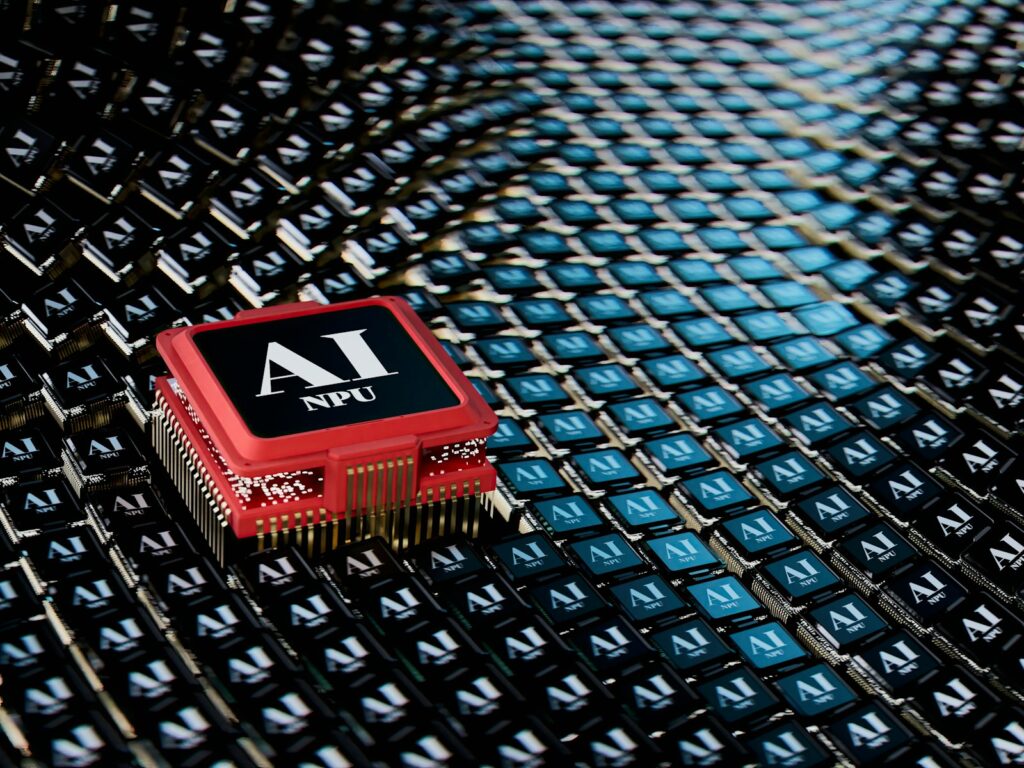
An NPU (Neural Processing Unit) is a specialized microprocessor optimized to process neural network computations. These computations are the foundation of modern AI and machine learning tasks, including image recognition, voice processing, translation, and more.
NPUs are designed to:
- Handle matrix multiplications and convolutions efficiently
- Optimize for lower power consumption
- Achieve low latency in AI inference
- Run neural networks faster than CPUs and GPUs for specific tasks
2. NPU vs CPU vs GPU: Key Differences
| Feature | CPU | GPU | NPU |
|---|---|---|---|
| Main Use | General-purpose processing | Graphics rendering, parallel tasks | AI/ML workloads |
| Architecture | Few powerful cores | Thousands of small cores | Custom architecture for AI |
| Power Consumption | Moderate | High | Low |
| Efficiency in AI | Low | Moderate to high | Very high |
| Flexibility | Highly flexible | Flexible for parallel tasks | Specialized for neural nets |
| Cost | Varies | Higher | Still developing (cost varies) |
CPU (Central Processing Unit)
The CPU is the brain of the computer. It can perform a wide range of tasks, from running your operating system to managing background services and applications. However, CPUs are not optimized for massive parallelism, which makes them less suitable for high-speed AI operations.
GPU (Graphics Processing Unit)
GPUs were initially designed for rendering graphics, but their high parallel processing power made them ideal for machine learning tasks, especially for training large neural networks. They still play a crucial role in deep learning and are widely used in AI development.
NPU (Neural Processing Unit)
NPUs are tailored for AI inference – meaning they run already-trained models efficiently. They’re not general-purpose processors, but they excel in real-time applications like facial recognition, natural language processing, and autonomous navigation.
3. Why Do We Need NPUs?
The rise of AI in consumer electronics, mobile devices, autonomous vehicles, and cloud platforms demands efficient AI hardware. Here’s why NPUs are necessary:
3.1 Power Efficiency
AI tasks like image recognition require billions of operations per second. Running them on CPUs or GPUs drains power quickly, especially on mobile or embedded devices. NPUs are optimized for low power consumption without sacrificing performance.
3.2 Faster Inference
NPUs drastically reduce the time needed to run a trained AI model. This is crucial for real-time applications like object detection in cameras, voice assistants, or driverless cars.
3.3 Dedicated AI Acceleration
By offloading AI workloads to NPUs, CPUs and GPUs are freed up to handle other system tasks. This parallelism results in better overall system performance.
4. Where Are NPUs Used?
4.1 Smartphones
Modern smartphones use NPUs to improve photography, enhance voice assistants, and enable offline translation. Examples include:
- Apple Neural Engine (ANE) in iPhones
- Google Tensor NPU in Pixel devices
- Huawei’s Kirin NPU in Mate and P series phones
- Samsung’s Exynos NPU
These chips make features like portrait mode, face unlock, and augmented reality possible in real-time.
4.2 Laptops and PCs
AI-powered features like noise cancellation, video background blur, and real-time translation are becoming standard. Chipmakers like Intel and AMD are starting to include AI accelerators or NPUs in their latest processors, such as:
- Intel Meteor Lake NPU
- AMD Ryzen AI Engine
- Qualcomm Snapdragon X Elite NPU
4.3 Edge Devices
In IoT and embedded systems, NPUs are vital. Devices like smart security cameras, drones, industrial robots, and medical devices use NPUs to process data locally (on the edge) without sending it to the cloud, reducing latency and ensuring data privacy.
4.4 Autonomous Vehicles
Self-driving cars rely on multiple sensors and cameras. NPUs help process this sensor data instantly for object detection, lane tracking, pedestrian recognition, etc.
4.5 Cloud AI
Cloud providers like Google Cloud, AWS, and Azure are deploying NPUs (or similar AI accelerators) in their data centers. For example:
- Google’s TPU (Tensor Processing Unit)
- Amazon’s Inferentia chip
- Microsoft Azure AI Accelerator
5. Top Companies Working on NPUs
Many tech giants and semiconductor companies are actively developing NPU hardware:
| Company | NPU Product Line |
|---|---|
| Apple | Apple Neural Engine (ANE) |
| TPU (for cloud), Tensor SoC (mobile) | |
| Intel | Intel NPU (Meteor Lake) |
| AMD | Ryzen AI Engine |
| Qualcomm | Hexagon AI Processor |
| Samsung | Exynos NPU |
| Huawei | Kirin NPU |
| MediaTek | APU (AI Processing Unit) |
| NVIDIA | DLA (Deep Learning Accelerator) |
These companies are integrating NPUs in consumer devices, laptops, wearables, and AI servers to stay competitive.
6. NPU Performance Benchmarks
Let’s look at some rough performance indicators:
- Apple A17 Pro NPU (2023): 35 TOPS (Tera Operations Per Second)
- Qualcomm Snapdragon 8 Gen 3 NPU: 45 TOPS
- Google Tensor G3 NPU: 30 TOPS
- Intel NPU in Meteor Lake: ~10 TOPS (energy-efficient)
By comparison:
- Mobile GPUs: 10–20 TOPS (but less efficient for AI)
- CPUs: Less than 1 TOPS (not optimized for AI)
7. Software and Framework Support
Most modern AI frameworks are beginning to support NPUs directly or through hardware abstraction layers:
- TensorFlow Lite
- PyTorch Mobile
- ONNX Runtime
- CoreML (Apple)
- NNAPI (Android)
Operating systems are also evolving. Windows 11, for instance, now has AI-powered features that take advantage of NPUs in supported hardware.
8. Challenges for NPU Adoption
Despite their advantages, NPUs face some challenges:
8.1 Fragmentation
Every company uses different architectures and SDKs. Lack of standardization makes software development harder across platforms.
8.2 Cost of Integration
Designing and integrating NPUs into hardware is expensive and may not yet be feasible for low-budget devices.
8.3 Compatibility
Older AI models trained for GPUs or CPUs may not run efficiently on NPUs unless optimized specifically.
9. Future of NPUs
NPUs are not just a trend — they are the future of edge and AI computing.
9.1 AI PCs
By 2025, almost every major PC manufacturer (HP, Dell, Lenovo, Asus) is expected to release AI laptops with dedicated NPUs for on-device AI tasks. Microsoft is heavily promoting this wave with its Copilot+ PCs.
9.2 Edge AI Boom
The global edge AI hardware market is predicted to grow from $8 billion in 2023 to over $30 billion by 2028, driven by NPUs.
9.3 Unified AI Acceleration
Future platforms may merge NPU, GPU, and CPU into a unified AI engine, offering better developer support and energy efficiency.
10. Conclusion
The Neural Processing Unit (NPU) represents a revolutionary leap in hardware design, tailored to meet the demands of the AI age. While CPUs and GPUs continue to be essential, NPUs are carving out their own space as dedicated AI accelerators, delivering faster, more efficient, and more responsive experiences.
From smartphones and laptops to autonomous systems and cloud data centers, NPUs are already playing a central role — and their influence is only set to grow. As AI continues to power more aspects of our lives, NPUs will be at the heart of this transformation.
Whether you are a consumer, developer, or tech enthusiast, understanding NPUs today prepares you for the intelligent world of tomorrow.
Keywords: NPU vs CPU vs GPU, What is NPU, AI accelerator, Neural Processing Unit India, NPU in smartphones, NPU in laptops, Edge AI, AI PCs, Intel NPU, Snapdragon NPU, Apple Neural Engine, future of AI chips
FAQs
FAQs: NPU Technology vs CPU and GPU
- What is an NPU?
An NPU (Neural Processing Unit) is a specialized processor designed to accelerate artificial intelligence and machine learning tasks, especially neural network inference. - How is an NPU different from a CPU?
While CPUs are general-purpose processors, NPUs are optimized specifically for AI workloads like matrix multiplication, enabling faster and more energy-efficient AI processing. - How is an NPU different from a GPU?
GPUs can handle parallel processing well but are more power-hungry. NPUs are more efficient for AI tasks and consume less power compared to GPUs. - Where are NPUs commonly used?
NPUs are widely used in smartphones, AI laptops, edge computing devices, autonomous vehicles, and cloud data centers. - Which smartphone brands use NPUs?
Brands like Apple, Google, Huawei, Samsung, and Xiaomi integrate NPUs into their smartphone processors for AI-powered features. - What kind of AI tasks do NPUs handle?
NPUs handle tasks like facial recognition, voice processing, real-time translation, camera enhancements, object detection, and gesture recognition. - Are NPUs used in laptops?
Yes, modern AI laptops from Intel, AMD, and Qualcomm use NPUs for tasks like background blur, real-time transcription, and performance optimization. - What are TOPS in NPU specifications?
TOPS stands for Tera Operations Per Second. It measures how many trillion operations an NPU can perform in one second, indicating its AI processing power. - Do NPUs replace CPUs or GPUs?
No, NPUs complement CPUs and GPUs by offloading specific AI tasks, allowing the system to run more efficiently. - Which companies manufacture NPUs?
Companies like Apple, Intel, Google, Qualcomm, Samsung, Huawei, MediaTek, and AMD are leading NPU development. - Is an NPU faster than a GPU for AI tasks?
For AI inference tasks, NPUs are often faster and more power-efficient than GPUs, but GPUs are still preferred for AI training. - Can NPUs be used for gaming?
No, NPUs are not designed for graphics rendering or gaming. They are specialized for AI and machine learning operations only. - Do NPUs improve camera quality in phones?
Yes, NPUs enable features like portrait mode, low-light photography, and scene recognition by processing images in real time. - How do NPUs help in autonomous vehicles?
NPUs process real-time sensor data to assist in tasks like obstacle detection, lane keeping, and pedestrian identification. - Are NPUs energy efficient?
Yes, NPUs are highly energy-efficient compared to CPUs and GPUs when it comes to running AI applications. - Which AI frameworks support NPUs?
Frameworks like TensorFlow Lite, PyTorch Mobile, ONNX Runtime, and CoreML support NPU integration. - Can older devices be upgraded with NPUs?
Not directly. NPU integration usually requires specific hardware and system-on-chip (SoC) support, which cannot be added to older devices. - Are NPUs useful for AI developers?
Yes, NPUs enable developers to deploy AI models efficiently on devices, reducing cloud dependency and latency. - What is the future of NPUs in computing?
NPUs are expected to be a core part of all modern computing platforms, including AI PCs, smart devices, and edge AI systems. - Do NPUs help with data privacy?
Yes, since NPUs enable on-device processing, sensitive data like images or voice recordings don’t need to be sent to the cloud. - What is Edge AI, and how do NPUs help?
Edge AI refers to AI processing on the device itself (rather than in the cloud). NPUs are ideal for edge AI due to their efficiency and speed. - What’s the difference between training and inference in AI?
Training involves teaching the model using large datasets (usually done on GPUs or TPUs), while inference means running predictions on trained models — a task ideal for NPUs. - Is there standardization in NPU development?
Currently, NPU hardware and software are fragmented, with different companies offering different APIs and SDKs, making cross-platform development a challenge. - What is an AI PC or Copilot+ PC?
These are laptops with dedicated NPUs that power AI features like live captions, auto-summarization, and content generation in real time. - How can I check if my device has an NPU?
You can check your device specifications on the manufacturer’s website or use diagnostic apps that reveal processor details, such as whether it includes an AI engine or NPU.










